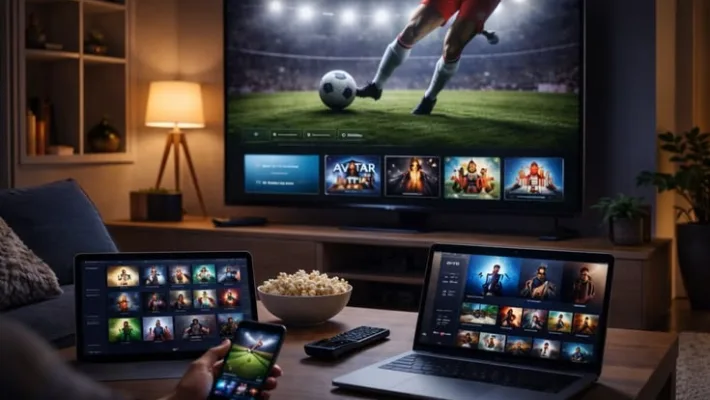
Setting up IPTV on a Smart TV is simpler than most people expect. This guide covers Samsung (Tizen), LG (webOS), and Android TV — the three most common Smart TV platforms — and gets you watching in under 5 minutes.
Before You Start
Make sure you have the following ready:
- Your StrimlyTV M3U playlist URL — sent to your email/WhatsApp after subscribing
- Your Smart TV connected to the internet (Wi-Fi or Ethernet)
- A phone or laptop nearby to copy-paste the URL if needed
Samsung Smart TV (Tizen OS)
Open the Smart Hub
Press the Home button on your Samsung remote and navigate to the Apps section.
Search for "Smart IPTV"
In the app search bar, type "Smart IPTV" or "SIPTV" and install it. It's free to try.
Get your TV's MAC address
Open Smart IPTV — it shows your MAC address on screen. Note it down.
Add your playlist online
On a phone or PC, go to the Smart IPTV website, enter your MAC address, and paste your M3U URL. Save it.
Refresh the app on your TV
Back on your Samsung TV, press the refresh button in Smart IPTV. Your channels will load within seconds.
LG Smart TV (webOS)
Open LG Content Store
Press the Home button and go to LG Content Store from the launcher bar.
Install SS IPTV or Smart IPTV
Both apps are available and free. SS IPTV requires no website — you enter the M3U URL directly inside the app.
Add your M3U URL
Open SS IPTV → Settings → Remote Playlists → Add. Paste your StrimlyTV M3U URL and save.
Start watching
Go back to the main screen — your channel list loads automatically. Use the EPG button to see the programme guide.
Android TV (Sony, Philips, Hisense, Nvidia Shield)
Open Google Play Store
From the Android TV home screen, open the Play Store app.
Install TiviMate or IPTV Smarters
TiviMate is the best option for Android TV. Search and install it from the Play Store.
Add playlist via Xtream Codes
Open TiviMate → Add Playlist → Xtream Codes. Enter the server URL, username, and password from your StrimlyTV credentials email.
Choose your channels
TiviMate loads all channels, EPG, VOD, and series. Browse your full channel list and start watching immediately.
Older TV Without Smart Features?
No problem — plug an Amazon Fire TV Stick or Android TV box into any TV's HDMI port and follow the Android TV steps above. A Fire TV Stick (4K Max) costs under €60 and transforms any TV into a full 4K streaming device.
Need Help?
Our support team is available 24/7 via WhatsApp. Send us a message with your TV model and we'll walk you through setup step by step — usually within a few minutes.